
Clayton County Court Calendars Explained
Clayton County posts settings in two places. One is a calendar row inside a public case detail. The other is a standalone Court Calendar search. The docket is the deeper record of case events. The calendar is simply a posted list of settings. A docket Calendar action can point to a time, room, judge, or calendar type. The standalone search works by name, date, case, or judge. It returns rows labeled Date, Time, Judge, Calendar Type, and View Calendar.
Use both tools together. When you know the matter, begin with the case number and the matching court division. To scan a broader setting, take the date or judge route instead. If the two displays disagree, hunt for the newest un-cancelled row. Then call the assigned court or calendar clerk. A blank result proves little. The county warns that not all calendars are eligible to be posted on the Internet.
Clayton County Calendar Search Modes
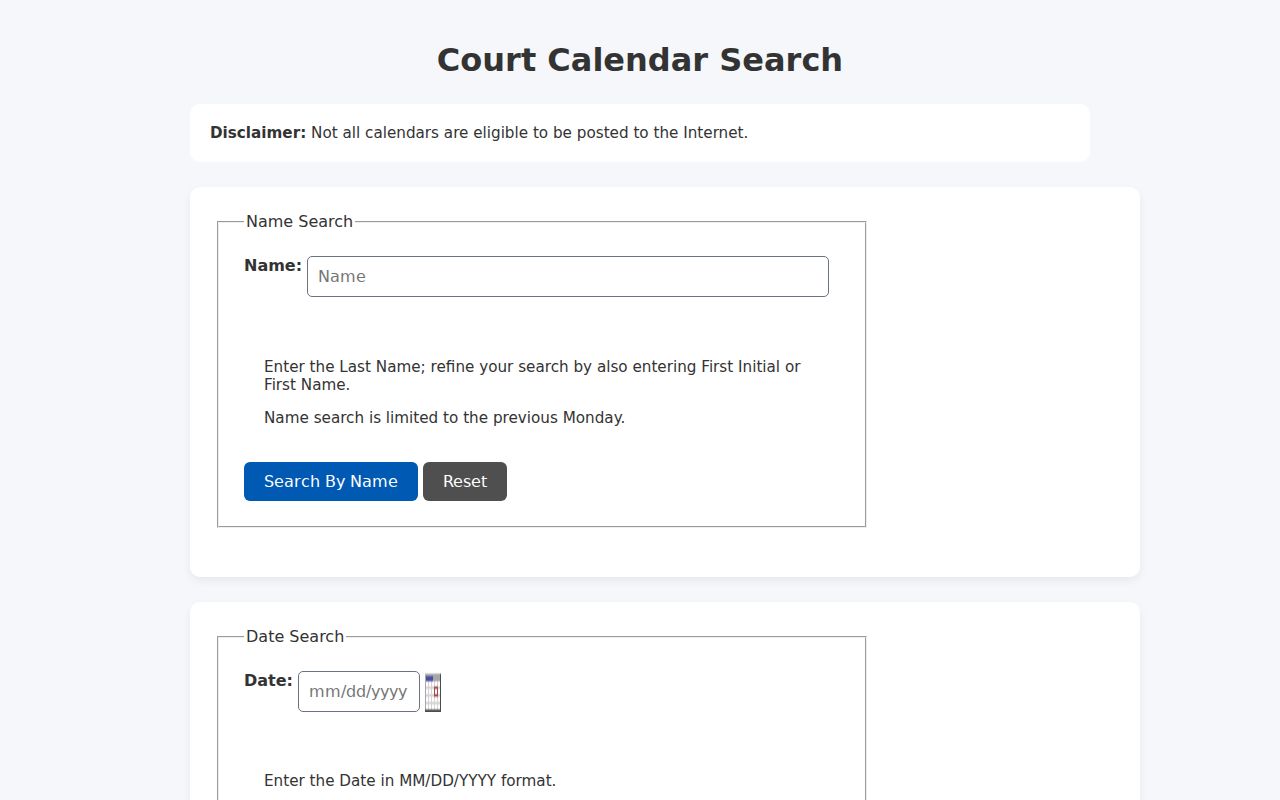
The county CGI gives you four search modes. Name search runs on a text field. Date search uses a date field with a picker. Case search wants a court division plus a case number. Judge search loads a judge list and asks whether the matter is Civil or Criminal. The controls do not swap between modes, so pick the route that fits the fact you already hold before you search.
| Mode | Inputs | Important behavior |
|---|---|---|
| Name | name text, maximum 70 characters | Previous-Monday limit; blank or non-letter input produces an error |
| Date | date, maximum 10 characters | MM/DD/YYYY format, date picker, and result rows with time and judge |
| Case | courtdiv and casenum | Both required; six State, Superior, and Magistrate civil/criminal divisions |
| Judge | Dynamic judge list plus Civil or Criminal | Judge list can include current and legacy or substitute names |
The case-number hint takes a compact form like 2024CV80001. The county Case Inquiry splits it differently. The number goes into its own segmented fields. Keep the number in the shape the relevant application expects. City citation numbers differ. A CourtWare or JusticeONE number will not always serve as a county calendar number.
The official county calendar search page lays out the four route choices. Its public interface displays them plainly. The Clayton County Court Calendar search is the entry point. Its calendar result route supplies the posted result fields. The calendar detail route may require the verification token described below.
The separate application explains the gap: a case lookup and a court-date lookup can return different views of the same matter.
Finding Your Court Date
When an appearance matters, check more than one channel. The online calendar is fast. But the docket's Calendar row can carry case-specific history the calendar lacks. State Court publishes calendar contacts by judge group. The courthouse counter or a public terminal can fill gaps when a record seems missing, though Clayton posts no complete terminal map or guaranteed staff-assisted schedule. Georgia Courts E-Access serves as a provider directory, not a substitute for the county's current setting list.
- Open the county Court Calendar and choose a name, date, case, or judge search. For a case search, select the correct one of the six civil or criminal divisions.
- Search the same case in Clayton County Case Inquiry and inspect the newest Calendar action, including any date, time, room, judge, and type.
- Compare the result with the assigned judge group. Brenda Castaneda, (770) 477-3387, handles Judges Hayward and Jones-Parker. Melissa Rivadeneira, (678) 479-5312, handles Chief Judge Garrett and Judges Spencer and George.
- If the online result is blank or unclear, call the assigned clerk or visit the relevant Justice Center counter. Ask about a public terminal or paper calendar rather than assuming one is available.
- For a city ticket, contact the city Municipal Court. For Probate or Juvenile matters, use the separate court route. The statewide E-Access directory can identify a provider, but it is not a single live Georgia calendar.
County materials name no complete daily printed calendar that would replace the online application. A clerk may confirm a setting or point you to the right paper route, but the current court always controls an appearance date.
When a date search turns up a case number, the Clayton County Case Lookup route can help confirm the court and docket history behind it.
Clayton County Name Calendar Limit
Treat the name calendar as current, not archival. The form caps name searches at the previous Monday. An older setting will not surface that way. Switch to the case-number or date route, review Docket Activity, and ask the clerk about archived calendar material. A blank name result may simply reflect that time limit rather than the absence of a hearing.
Name search also carries a validation rule. The field takes a name string and rejects blank or non-letter input. Enter the last name. Then compare court, judge, case number, and calendar type in the results. The judge list loads dynamically and can hold legacy or substitute names. Confirm the assigned judge group through current court information.
One more county warning applies: not all calendars are eligible for Internet posting. That notice marks an access limit. It does not mean the court failed to schedule the matter.
How to Read a Court Setting
A calendar result answers quickly, but each field does a different job. Date tells you when the setting is posted. Time gives the scheduled start. Judge names the assigned judicial officer. Calendar Type labels the kind of setting, and View Calendar may open a fuller list or trigger an interactive verification step. Match the case number and division beside those fields before trusting any row as your setting.
| Date | The scheduled date returned by the county calendar search. |
|---|---|
| Time | The posted time for the calendar row; confirm if a later docket event changes it. |
| Judge | The judge attached to the setting, with current and legacy names possible in the selector. |
| Calendar Type | A label such as Motion, Bench Trial, TPO Calendar, or Traffic Arraignment. |
| View Calendar | A control that can require a verification token or Turnstile check for detail. |
| Docket row | The case-specific Calendar action, which may add room, event outcome, or reset context. |
The word Calendar does not name one universal hearing type. Motion, Calendar Call, Bench Trial, and Traffic Arraignment are the main labels. Each poses a different practical question. A Miscellaneous label means you should call the court. Ask for its meaning in that case. The row starts your confirmation; it is not legal advice.
Clayton County Setting Labels
Clayton County docket rows carry a handful of setting labels, and each points somewhere different. Traffic Arraignment and Traffic Arraignment Calendar mark a traffic appearance route. County Ordinance Arraignment points to an ordinance calendar instead. A TPO Calendar covers temporary protective orders, and access to it can be limited. Motion, Calendar Call, and Bench Trial are common. They are setting shapes you will see in civil and criminal dockets alike. Jail Cases/Probation and Miscellaneous are vaguer. Read them in the court's context before assigning a meaning.
- TRAFFIC ARRAIGNMENT
- A traffic arraignment or related appearance setting.
- COUNTY ORDINANCE ARRAIGNMENT
- A calendar for county-ordinance matters.
- TPO CALENDAR
- A temporary protective order calendar label with possible access limits.
- MOTION
- A setting for a motion or motion-related argument.
- CALENDAR CALL
- A case-management or calendar-management setting.
- BENCH TRIAL
- A non-jury trial setting.
- MISCELLANEOUS
- A general label that needs the assigned court’s explanation.
Older rows may say Disposessory Calendar, Failure to Appear, or use another local spelling. Keep the label exactly as displayed when comparing rows. The clerk can clarify what a setting requires.
Continuances, Resets, and Cancellations
A Clayton County docket can list an old setting and a newer one without ever marking the first row as cancelled. A reset, a continuance, an event outcome, or a new Calendar action may explain the shift. An older date is not automatically a vacated date. The current notice, signed order, clerk, or court controls.
| What appears | What it may mean | Next check |
|---|---|---|
| Old calendar row | Prior setting kept in the historical activity register | Look for a newer un-cancelled row |
| Reset or continuance | Setting moved or continued | Confirm the new date and any order with the court |
| Event Outcome | Outcome attached to a prior event | Read the related action and any image document |
| Closure notice | Emergency or weather closure affects operations | Check the court’s current notice and call before travel |
Save the case number, both rows, the judge, and the calendar type. Then call the assigned calendar clerk. A web result can lag a paper notice, and a paper notice can predate an emergency closure.
Clayton County Calendar Verification
The county's date result table can be visible while the View Calendar action asks for a hidden identifier plus a verification token. A detail request without a token returns an invalid or missing token message. So the honest limit is this: the result table can show a posted setting. The fuller view may require an interactive verification step. Do not assume a copied URL retrieves every detail. If a token prompt appears, hold onto the key facts. Keep the date, time, judge, calendar type, and case number from the result. Use the docket's Calendar action as a second check. If the two routes disagree, call the assigned clerk or the court counter. A public terminal may exist, but the county publishes no count or location for one. The county's own calendar page carries the broader caveat. The official Clayton County court-calendar page warns that not all calendars are eligible for Internet posting.
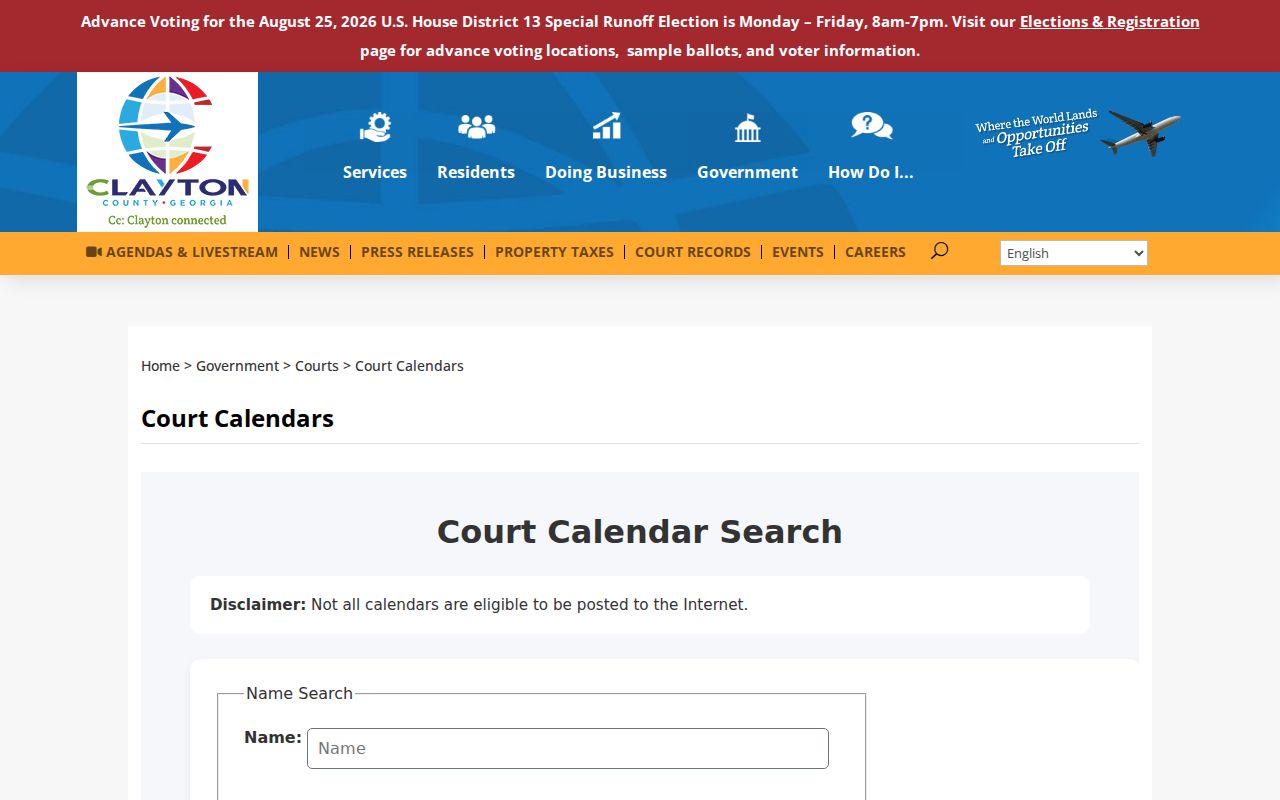
That warning is a reason to verify a consequential setting, not a reason to ignore the public result.
If You Miss a Court Setting
Miss a court setting? Contact the assigning court right away. Start with the case number and the latest Calendar or Event Outcome row. Call the calendar clerk or the court clerk, explain that the date was missed, and ask what notice, reset, motion, or appearance process applies now. The public docket may show a Failure to Appear or a new calendar row. What it may not show is every consequence.
Act promptly: A missed setting can lead to a new date or additional court action. Do not infer the next step from a blank calendar alone. Confirm with the assigned court or clerk and follow the current written instruction.
State Court splits its calendar contacts by judge. Brenda Castaneda covers Judges Hayward and Jones-Parker. Her number is (770) 477-3387. Melissa Rivadeneira covers Chief Judge Garrett and Judges Spencer and George at (678) 479-5312. For Superior, Magistrate, Probate, Juvenile, or a city Municipal Court, the office differs. Use the office tied to that docket. A State Court calendar phone is not a universal county line.
Clayton County Court Closure Check
One reminder is worth keeping. A January 2026 judicial-emergency order closed Clayton courthouse operations on January 23 and January 26. A posted setting can need reconfirmation after any closure. That order is not a standing closure rule for future dates. Check current county or court notices first. Then call the clerk if travel or attendance is at issue. The courthouse counter and a public terminal are practical fallbacks when the web calendar is stale or down. The county's public pages offer no complete terminal map, no guaranteed printed-calendar schedule, and no single statewide calendar. The FY2025 Clayton County Budget Book and the Georgia Courts Data and Statistics page give workload context. They are not live settings. Georgia Courts E-Access can point toward participating providers. The county Case Inquiry and the assigned clerk remain the main local routes. A correct court date is the one confirmed for the correct case, court, judge, and calendar type. Keep those identifiers together when you follow up.